
A mat from AI graphics?
A mat from AI graphics?
beautiful on screen,
beautiful on the mat or carpet
Over the past few months we have been receiving more and more orders where the customer attaches a design created with AI. We are delighted, because custom design is exactly what we enjoy making most. At the same time, we can see that most of these files cannot be produced as they are. Not because they are bad, but because printing on textile follows different rules than a screen. This article shows you how to respect those rules so that the finished mat exceeds your expectations.
A beautiful AI design. In this state we cannot use it for production.
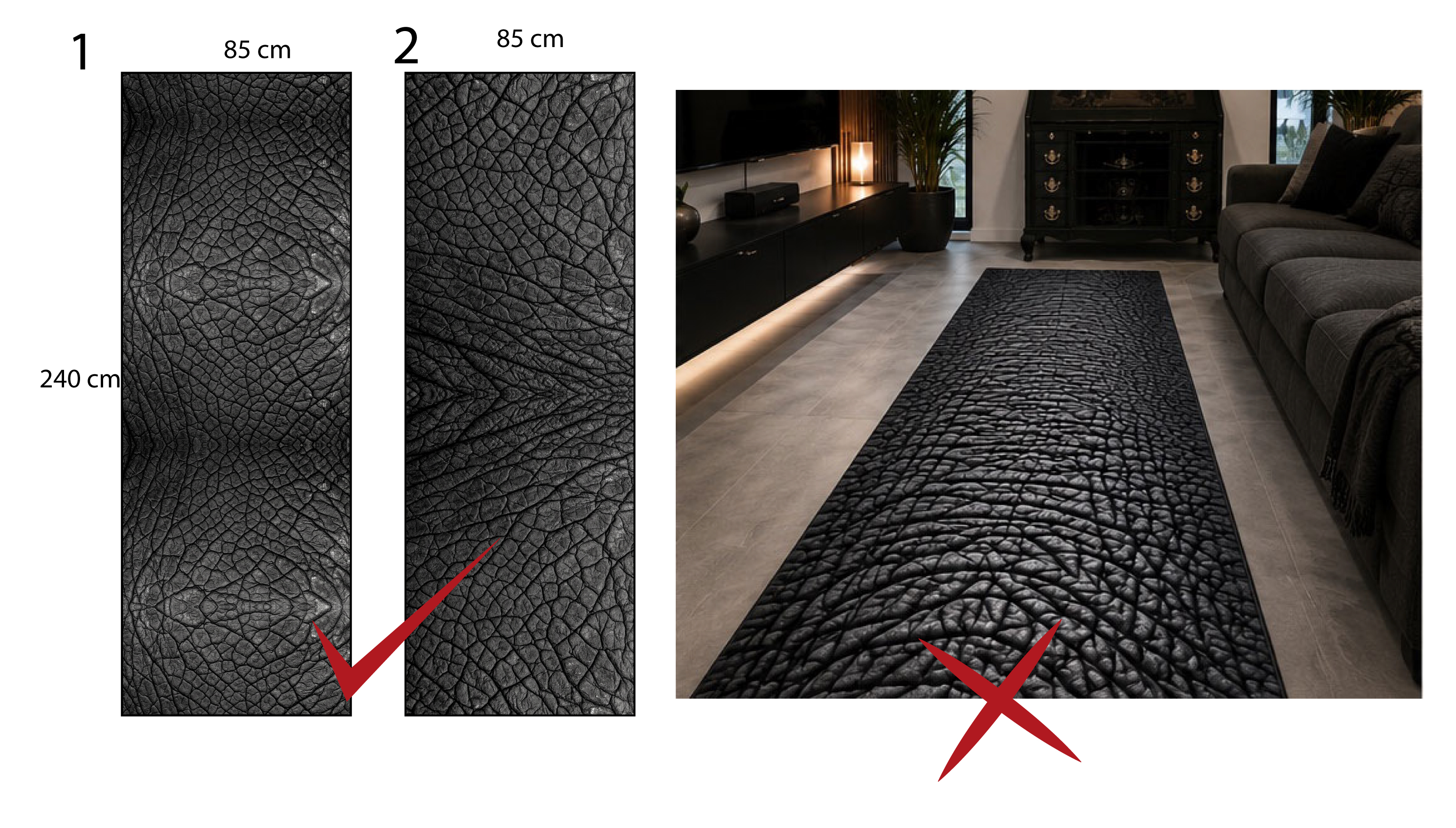
We don't want to discourage you, we want to help you
If you have an idea, go for it. Mats and rugs with a custom motif are the most beautiful things that come out of our production. A company logo at the entrance, a coat of arms in the lift, a motif to go under a motorbike, a design for the living room exactly the way you imagine it.
Only one thing applies without exception: a design that looks good on a monitor does not have to look good on the finished mat. A monitor glows, has millions of pixels and no pile. Textile has a pile, absorbs colour and is cut with a knife. That is why a fine ornament that looks elegant on screen turns into a vague smudge after printing.
The good news is that you only need to follow a few parameters. Anyone who respects them gets a product they will enjoy for years.
What AI does not know on its own
An AI generator is trained to produce a nice picture, not a print file. It does not know that the material is cut from a 25-metre roll, that the edge is welded into rubber and that a thin line on velour disappears. That is why we repeatedly see three things in the files we receive.
Most generators deliver 1024 or 2048 px. At the 100 DPI standard that is enough for a mat roughly 26 to 52 cm in size. Not for 85 x 60 cm.
AI does not work with centimetres but with aspect ratio. If you do not specify it, you get a square. A 200 x 80 cm runner would have to be stretched and the motif would be distorted.
An ornament or a border running around the perimeter sits exactly on the cutting line. After finishing, only an asymmetrical half of it would remain. A border around the perimeter is by far the riskiest element.
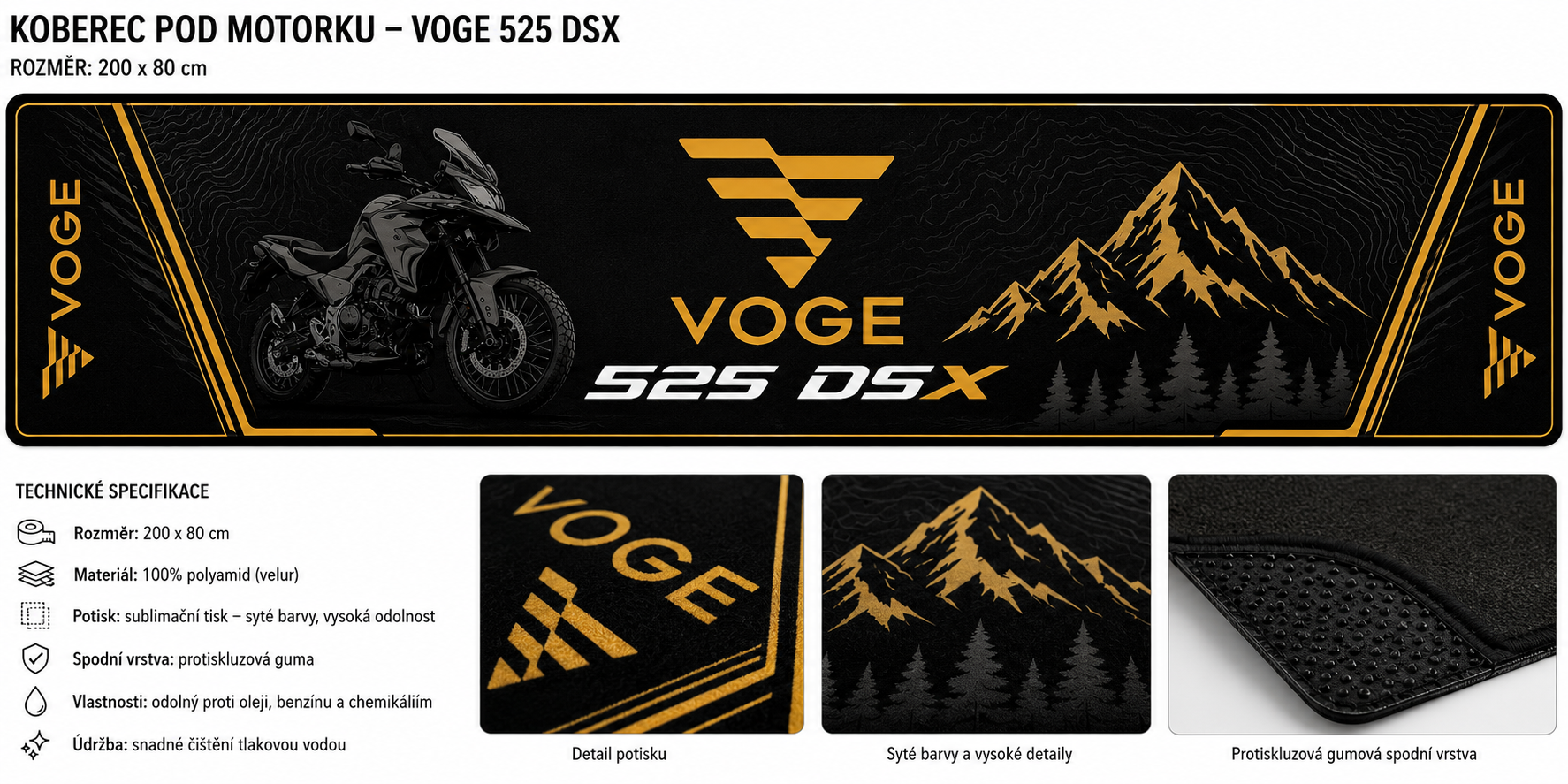 The graphic ends exactly at the edge of the file. After cutting, an asymmetrical half of the ornament would remain.
The technical minimum that leads to a beautiful result
Textile does not need 300 DPI like paper. The condition is that the file has 100 DPI at the final size of the product, not only after enlargement.
We print in RGB. A CMYK file shifts during conversion and the colours will not match the design.
The graphic must extend 1 cm beyond the cutting line so that the background reaches all the way to the edge. The print file is therefore 2 cm larger than the cut size.
Printing, washing and cutting cause slight shifts. Keep important elements at least 2 cm inside the cut area. When prompting AI, we recommend a margin of 5 cm.
The absolute minimum is 3 mm, but for a safe and clean result count on 4 to 5 mm. Thinner lines merge in the absorbent textile and disappear from the design.
Smaller lettering loses legibility. Better less text, but bold. On the floor it is read from a height of two metres anyway.
White areas stay in the colour of the base textile, so slightly cream. Use light shades sparingly.
A mat is not a poster. A strong, clean motif with contrasting colours looks better after production than a composition full of fine details. If you have to choose, take something away.
This is what a production-ready file looks like
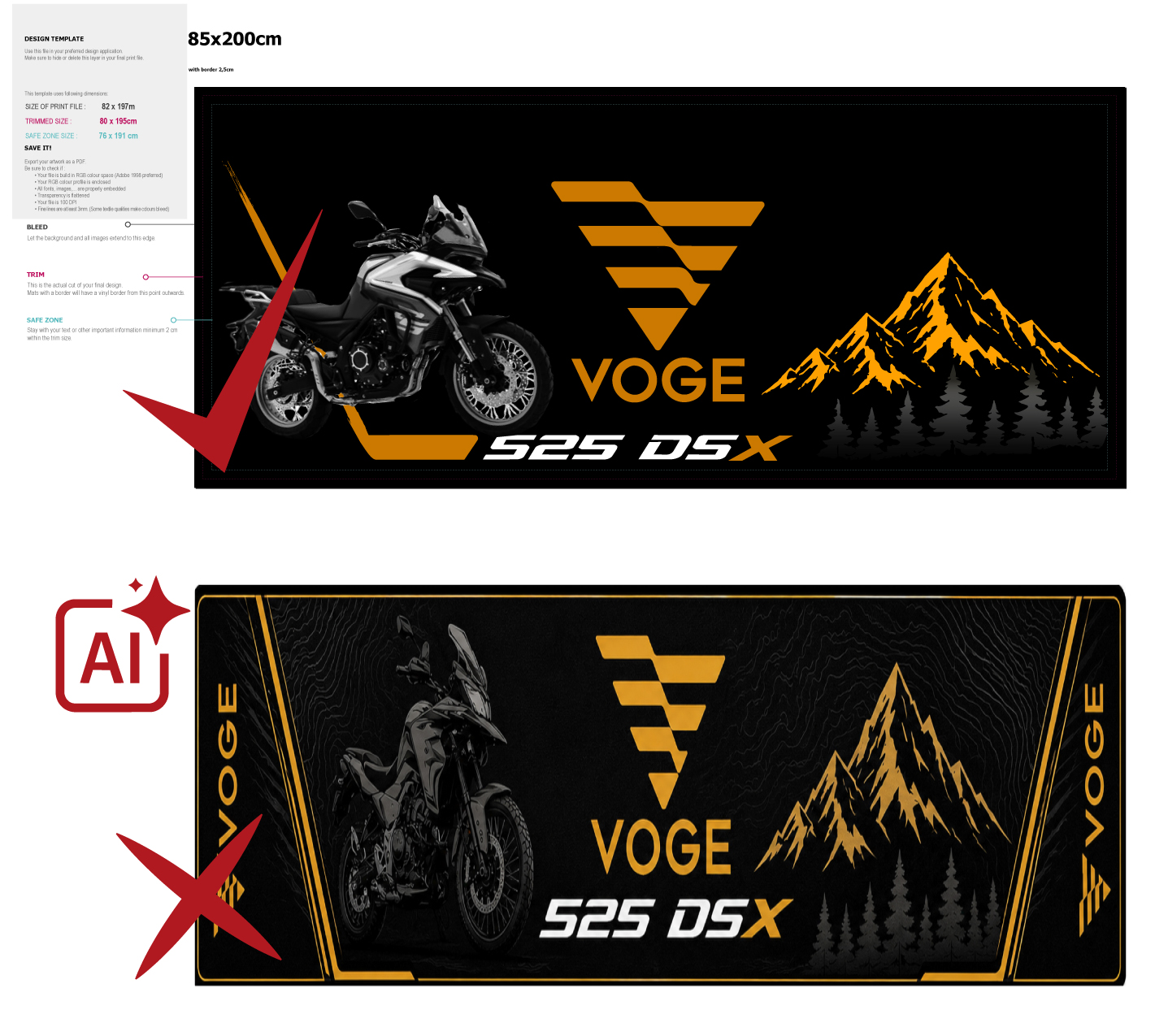
Rug for the VOGE 525 DSX motorbike, size 200 x 85 cm. The motif respects the 5:2 aspect ratio, the background runs across the whole area, the logo and lettering are in the middle third and the lines are thick enough to survive printing on velour. Sublimation printing on 100% polyamide, anti-slip rubber backing.
How long should the prompt be
The answer is less intuitive than it seems: a longer prompt does not mean a better result. Most models process only the first 77 tokens of the input, roughly 60 words. Everything beyond that limit is ignored, and it is usually your technical requirements that sit at the end.
The proven range is 40 to 80 words, approximately 400 to 600 characters. A prompt with 40 words of specific visual information beats a prompt with 100 words of generic phrases such as “high quality”. The template below fits into this range even after you add your own motif.
Ready-made prompt to copy
Copy the text and replace the highlighted parts with your own details. You will find the required resolution in the table below the prompt.
Sizes and required resolution at 100 DPI
| Mat size | Aspect ratio | Minimum resolution |
|---|---|---|
| 60 x 40 cm | 3:2 | 2362 x 1575 px |
| 85 x 60 cm | 85:60 | 3346 x 2362 px |
| 90 x 150 cm | 3:5 | 3543 x 5906 px |
| 200 x 80 cm | 5:2 | 7874 x 3150 px |
If your generator maxes out at 2048 px, generate the motif in the correct aspect ratio and then enlarge the file with a good AI upscaler. The order matters: composition first, resolution second.
Frequently asked questions
Yes, gladly. The file just has to meet the technical minimum listed above. You can enforce most of the parameters with a well-written prompt.
It does not work with physical units but with aspect ratio and pixels. Centimetres in the prompt only help with composition, so always state both the aspect ratio and the target resolution.
Ideally PDF in RGB, text converted to curves and transparencies flattened. AI delivers PNG or JPG, which need to be adjusted to the correct 1:1 size before sending
Every file goes through a basic check of dimensions and colour profile.
Have an idea? Let's make it happen together
Send us your design together with the required size. We will tell you what needs to be adjusted and, if you wish, we will prepare the file for production for you. We have the same goal as you: for the mat to be beautiful not only on screen, but above all on the floor.
Send design for review